
These notes are an ‘aide-memoire’ as a reminder for things you should already be aware of from crew training. If you feel you need further training, ask one of the crew or one of the organisers.
Crewing responsibilities generally fall into three roles: sound, lights, and door. When signing up for crewing, crew 1, 2, & 3 should be confident to take lead on these: crew 4 & 5 can support as required (we generally have at least 2 crew on the door to welcome dancers).
Sound system & lighting is in secure storage at the back of the church (to the right of the alter). It sits in front of the massive safe: please keep it tidily there!
| sound | lights | door |
|---|---|---|
|
Sound is through two Yamaha active speakers on stands.
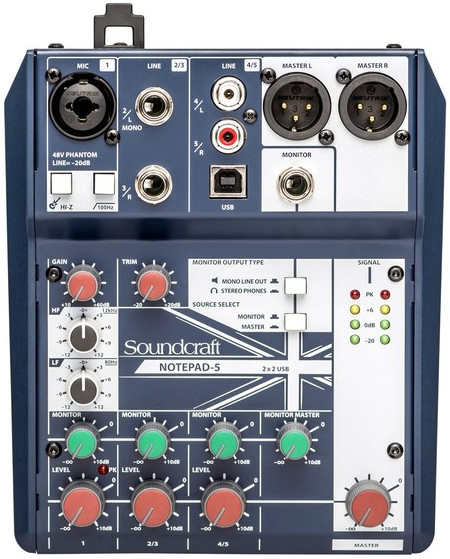
We also have a very simple mixer which teachers may use (though they may prefer to use their own).
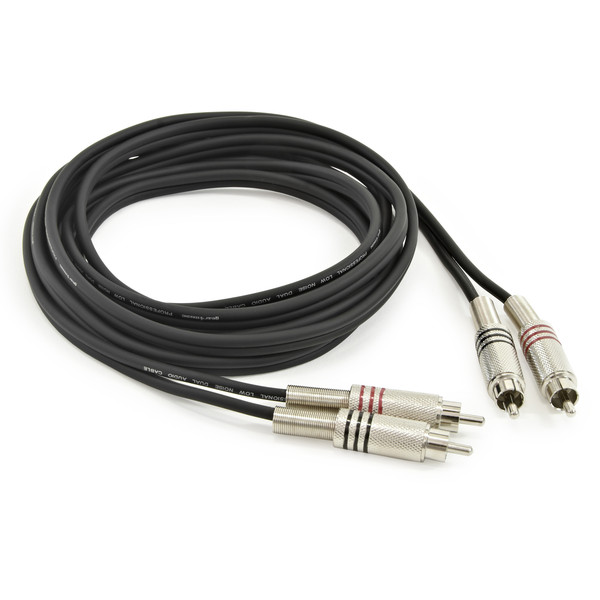
We have two ‘interconnect’ cables for ‘line-level’ music signals: a) 2 × RCA phono – 2 × RCA phono:
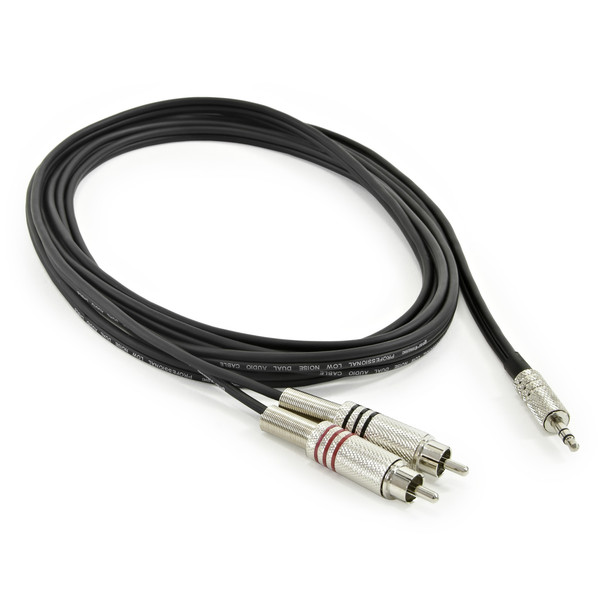
b) 3.5mm stereo jack – 2 × RCA phono:
Generally, the 3.5mm jack will be required to connect directly to a computer (or phone in emergencies!); the RCA phono connectors will be required to connect to Traktor devices. And we have ‘balanced XLR’ cables for microphone, and for speakers (speaker cables are blue):
There are two possible configurations: a basic one which involves no mixer, just connecting cables (resulting in mono output); and a standard one which uses a mixer (either Cambsdance’s, or the teacher’s). Basic configuration On left speaker,
Then on both speakers, set all ‘LEVEL’s to 0dB (12 o’clock) … and when all connections are made, switch speakers’ power on, and check music & mic are working correctly. Standard configuration On the mixer,
Then, with the blue XLR speaker cables,
Then on both speakers, set all ‘LEVEL’s to 0dB (12 o’clock) … and when all connections are made, switch speakers’ power on, and check music & mic are working correctly. As required, adjust level and EQ (HF / LF) for the microphone, and level for the music, perhaps together with the master level. For safety, cables can be secured to the floor with masking tape (which should leave no marks on the floor). And … go dance! After dance, speakers go back into storage cabinets; mixer, mic, and all cables go into the really useful boxes which have labelled contents, then into the storage cabinets. Cables should always be made into tidy loops by using half-turns for each loop: this will make them easy to store. and will extend their life. Ask other crew if you’re not sure! |
TBC |
Welcoming people at the door is important for several reasons. Firstly, it’s an opportunity to emphasise the community we are. New dancers can be welcomed, have the space explained to them: that it’s a secure space, location of toilets, place to leave clothes, talking policy, etc. Also for times: official entry is 6:45–7:00: dancers may be let in earlier (or may not); they may be let in later (BUT MAY NOT!). How late crew want to wait after 7:00 is at their discretion: until 7:15 is common, but crew need to dance too! If dancers know they will be late, they can request someone hold the door for them on the Cambsdance over the Ether WhatsApp group, but this is not guaranteed! Door crew need to print the attendance list:
Extra tasks for door crew:
After dance:
|


 Cambsdance